My talk at JavaZone this year on how to make your own hobby projects succesful
and how to stay succesful. It was well received at the conference, and hope it
you feel the same! My hope is that people will take what they know, make simple
things and move from there.
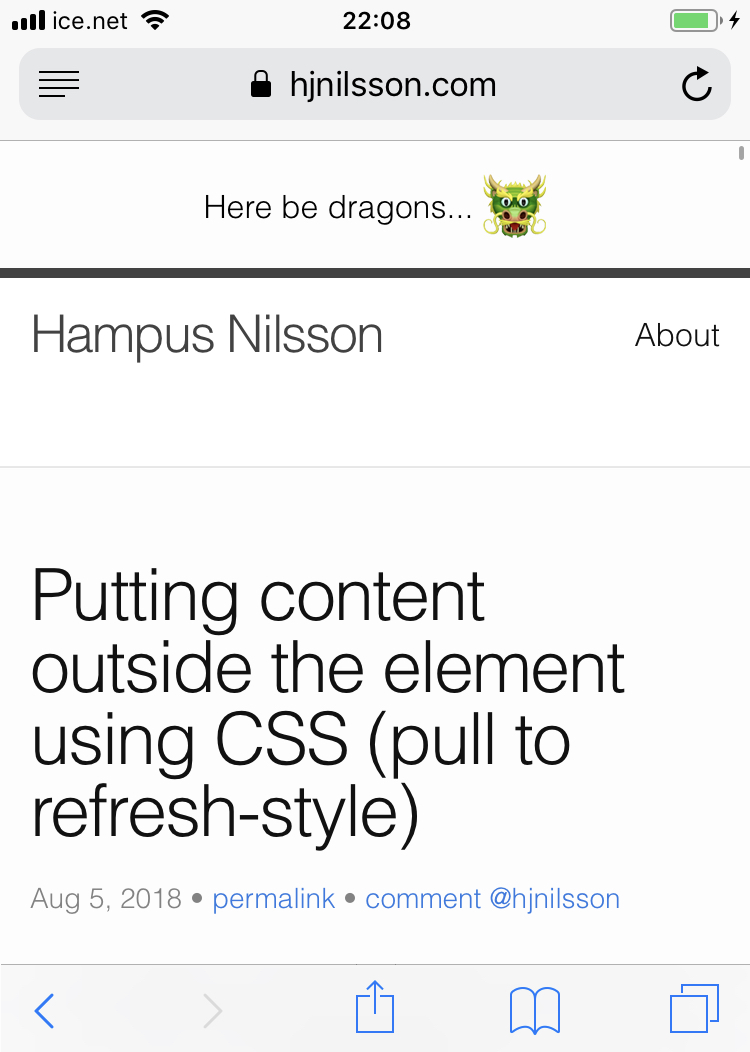
On mobile a common UI element is to a have "Pull to refresh" control above a scrollable list.
This area then contains last updated information or similar.
The desired effect, where you drag down to reveal some content.
However, if you try to do this naively in HTML, by positioning an element outside the <body>
using position or negative margins, you'll find the element will not render. This is true
for all browsers.
But: You can work around this using the transform property. By specifying a translate
value, this will move the element outside the body while keeping it visible. The markup
is relatively simple:
You can try this effect on this page scroll to the top and keep scrolling up (on OSX,
Android or iOS) and you will see the element. It will only work on OSX with a trackpad,
not using a mouse wheel.
Here be dragons...
🐲
This is a very simple trick that I did not find documented anywhere, delight your
users and put something fun for them to discover up top! :)
It's time to complete our small snake game (long timeout between posts due to work). Last time we made the snake move on the board and added keyboard controls.
Now all that remains is picking up the apples and collision detection with the tail.
Placing apples
First step is placing the apples on the board.
This is something we will do many times, so we introduce a new function placeApple
that handles this.
Apples should be assigned to a random position, so we pick a random cell on the
board, using the Math.random and Math.floor functions in combination to pick
an integer (non-decimal) number for the X and Y positions. We then update the
board at this position with the property apple set to the value 1.
function placeApple() {
  // A random coordinate for the apple
  var appleX = Math.floor(Math.random() * boardWidth);
  var appleY = Math.floor(Math.random() * boardHeight);

  board[appleY][appleX].apple = 1;
}
Ta place an apple on the board when the game starts, update the startGame function.
Before the final } brace, insert a call to the placeApple() function.
We also need to update the loop in this function to clear all apples on the board.
The end of the startGame function will thus look like this, with a call to the
new function and an updated loop:
// Clear board
for (var y = 0; y < boardHeight; ++y) {
  for (var x = 0; x < boardWidth; ++x) {
    board[y][x].snake = 0;
    board[y][x].apple = 0;
  }
}

// Set the center of the board to contain a snake
board[snakeY][snakeX].snake = snakeLength;

// Place the first apple on the board.
placeApple();
We also need to check in the render loop for the apple value (the same place we check
the board for the snake value) and set a different CSS class if there is an
apple on that spot. In other words, we update the gameLoop function with the following
else if statement.
And finally, add a matching CSS class, to style the apple red on the board:
#board .apple {
  background-color: red;
}
Once these changes have been made, the red apple should appear on the board.
You can also look at the source of the below sample.
View this in a new tabThere should now be a red apple on the board, but we can't collect it.
The final piece of the puzzle, will be to pick up the apples and tail collisions.
Collecting apples
To check if the snake collided with an apple, we will update the game loop with another if statement.
Add this after checking if we collided with any walls (as before):
// Collect apples
if (board[snakeY][snakeX].apple === 1) {
  snakeLength++;
  board[snakeY][snakeX].apple = 0;
  placeApple();
}
We check if an apple is present on the cell we are moving to, if that is the case
we increase the length of the snake, remove the apple and place a new apple on the board.
This makes the game playable:
If you play the game above long enough, you'll notice you don't die if you go through your own tail.
This is the final thing we need to add to our game.
This requires a very similar check to the one we had for apples, but we instead check if the snake property is set.
If it is, we just restart the game. The following if statement goes before the one we added before to pick up apples:
// Tail collision
if (board[snakeY][snakeX].snake > 0) {
  startGame();
}
Mission success
And there you have it, a complete snake game made entirely in simple HTML, JavaScript and CSS.
Try it out below: